
Procedure
- Step 1: Take Read Only Memory and Inputs
- Navigate to the Components section and select the Read Only Memory (ROM) component.
- Add three input components and rename them as A0, A1, and Cs.
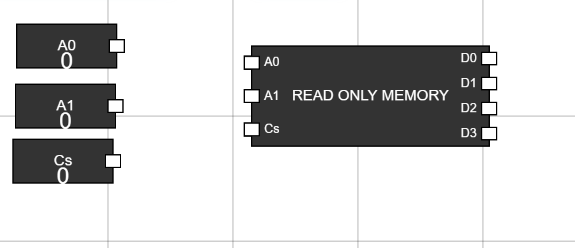
Figure 1: ROM and Inputs in Workspace - Step 2: Connect Inputs to Read Only Memory
- Connect the inputs A0, A1, and Cs to their corresponding A0, A1, and Cs pins on the Read Only Memory.
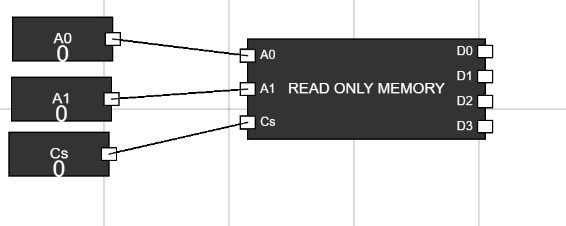
Figure 2: Inputs Connected to ROM - Step 3: Add Outputs and Connect Them
- Add four output components and connect them to the D0, D1, D2, and D3 pins of the Read Only Memory.
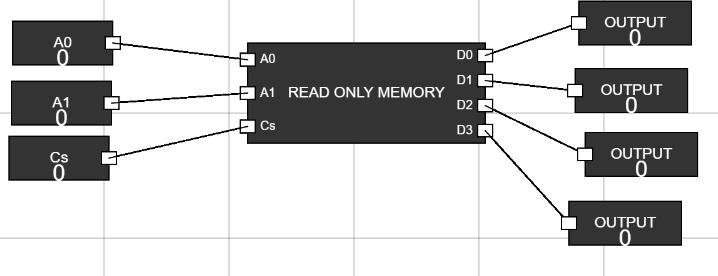
Figure 3: Outputs Connected to ROM - Step 4: Set Cs to 1
- Set the Cs input to 1 to enable the Read Only Memory.
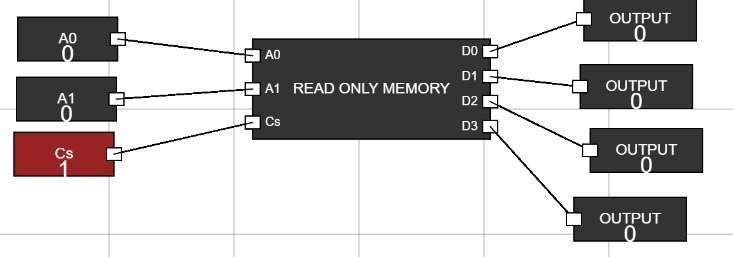
Figure 4: Cs Set to 1 - Step 5: Change Address and Observe Data
- Use the inputs A0 and A1 to change the address. - Observe the output data at D3, D2, D1, and D0 based on the following truth table:
A1A0 D3D2D1D0 00 0000 01 0011 10 0101 11 1110 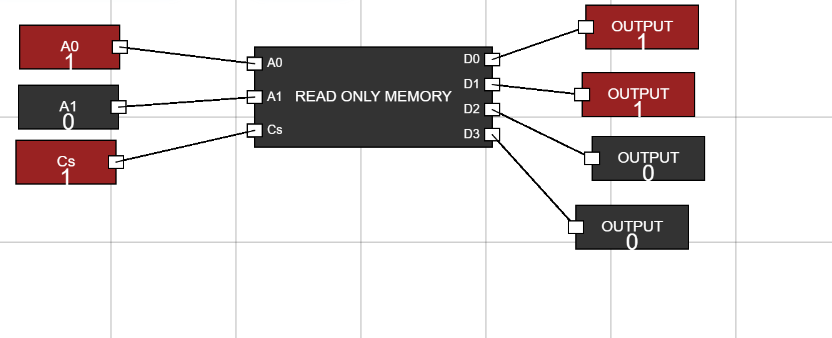
Figure 5: Observing Output