Procedure:
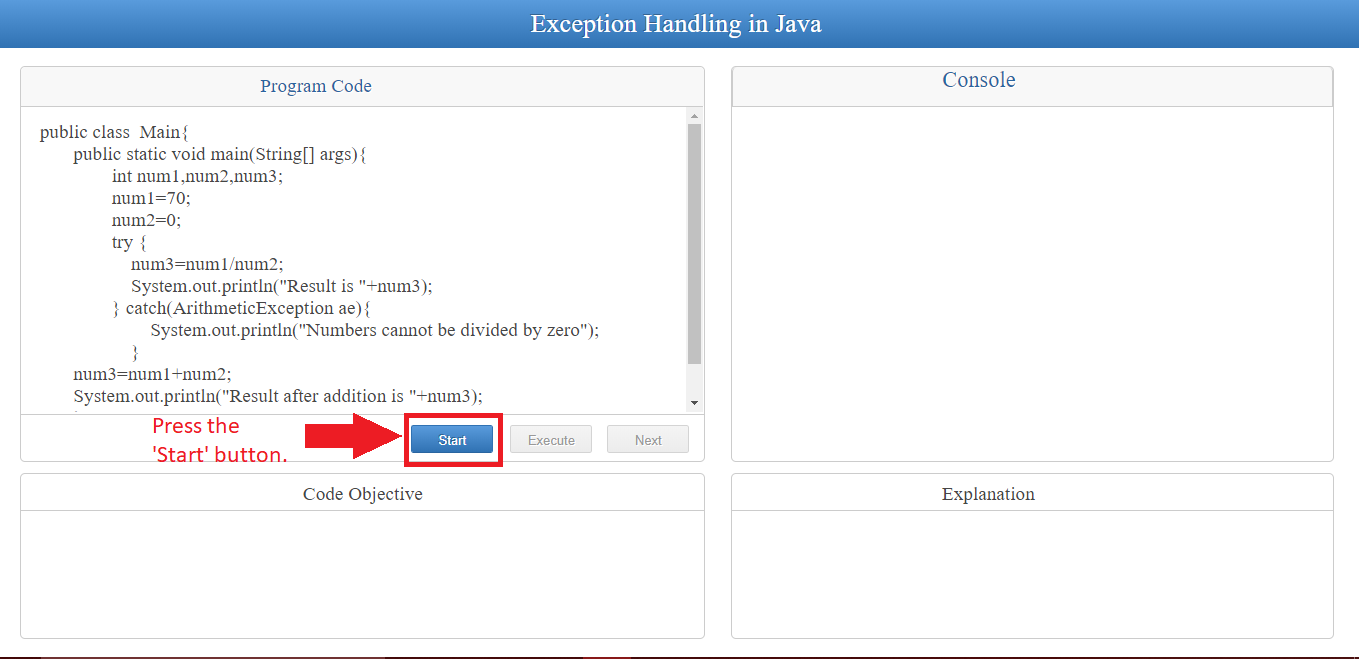
1) Press 'Start' button to initiate the execution.
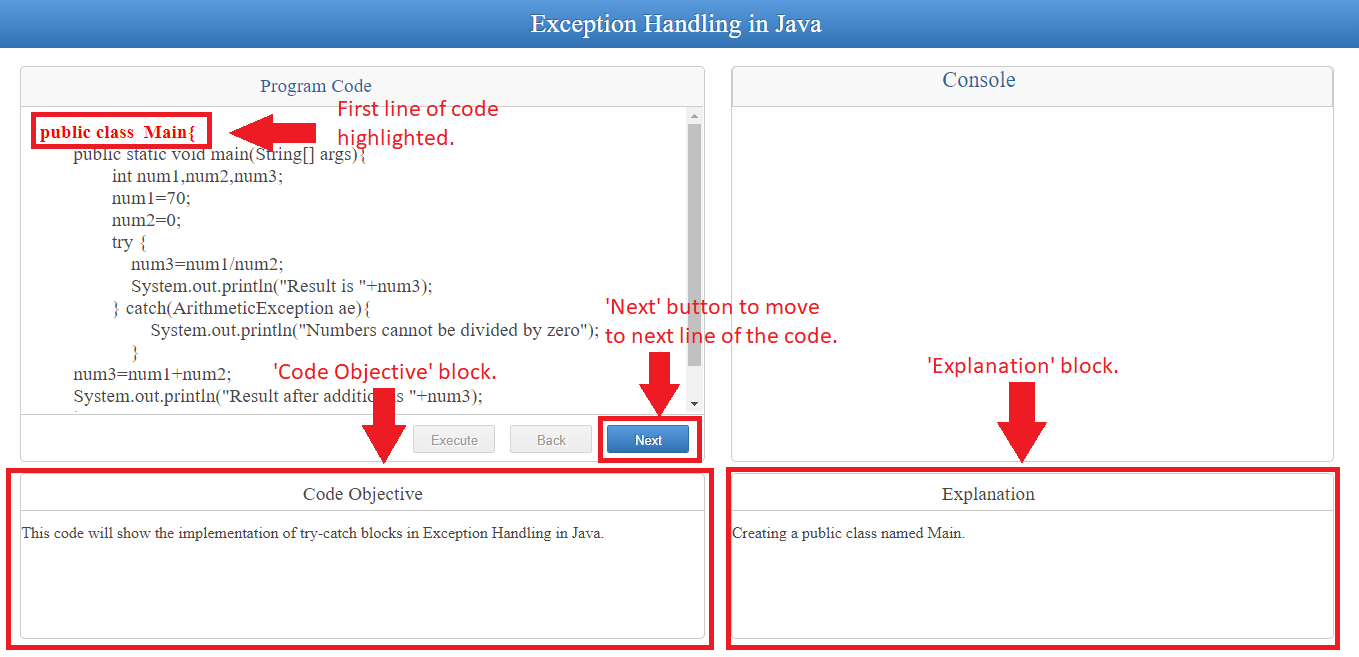
2) After pressing 'Start' button, you can see objective of the code in 'Code Objective' block. Along with this you can also see the first line of the code gets highlighted and it's explanation is displayed in the 'Explanation' block.
Press the 'Next' button to move to the next line of the code.
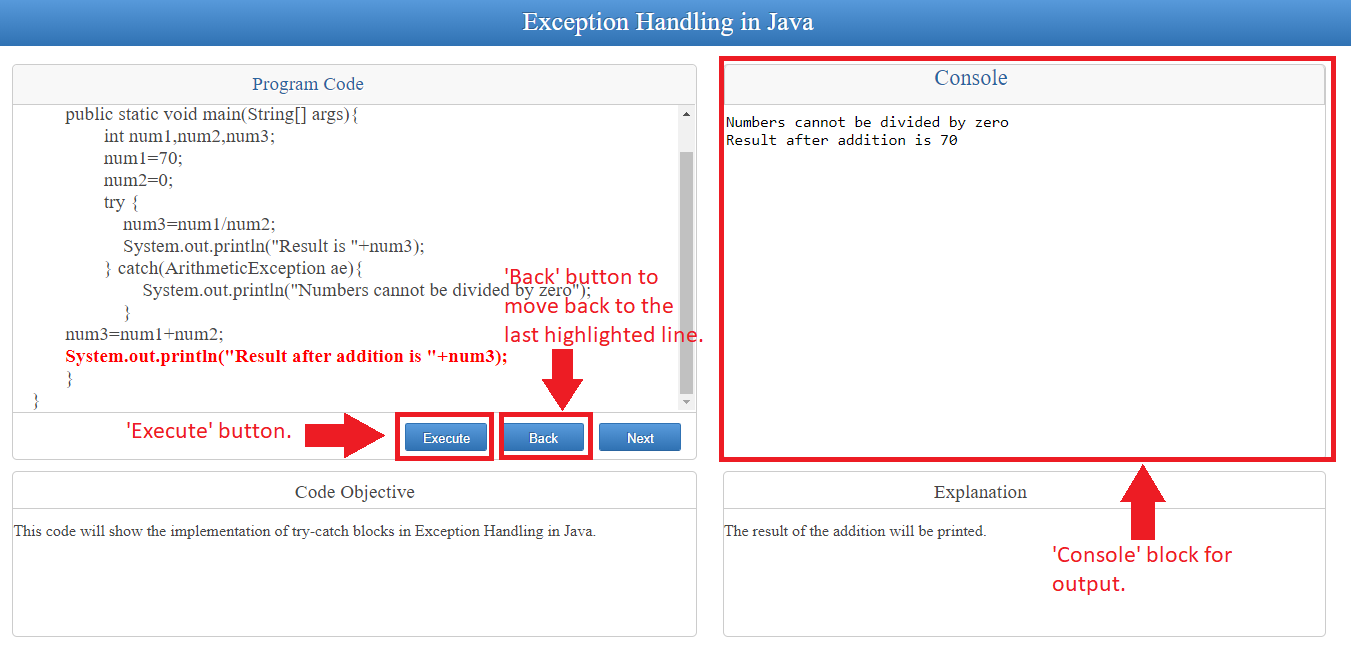
3) After all lines of the code are highlighted, press 'Execute' button to execute the program to get the output of the program in the 'Console' block.
Press the 'Back' button to move to the last highlighted line of the code.