×
INSTRUCTIONS :
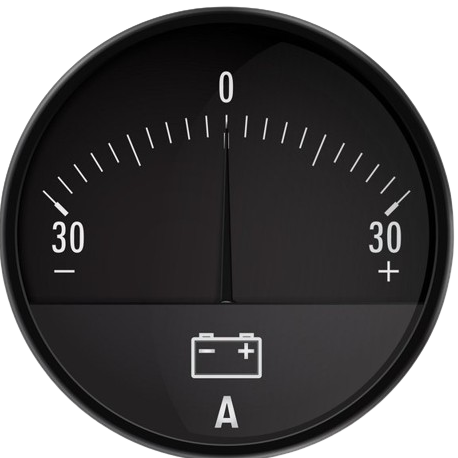
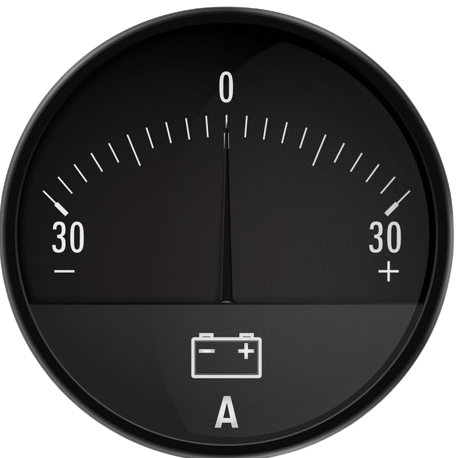
- Step 1: Get the Instruments by clicking on the 'COMPONENTS' button.
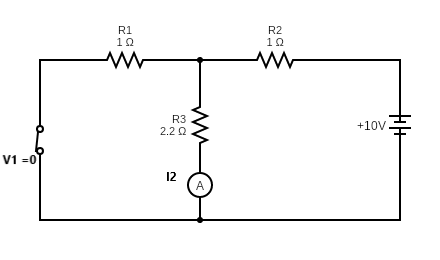
- Step 2: Make connections as per the given Circuit diagram.
- Step 3: Click on the 'CHECK CONNECTIONS' button for Checking the connections.
- Step 4: Switch ON the 'POWER' button after making right connections.
- Step 5: Click on the ' ADD ' button so that the readings will add in the Observation Table.
- Step 6: Enter the correct value in the table and check by clicking on 'CHECK' button . IMPORTANT !!
- 1. If you made wrong connection while making your circuit you have to start again by clicking on 'RESET' button and make fresh connections.
- 2. You will get ' 3 Attempts ', after that Answers will Automatically appear in the Table.
CIRCUIT DIAGRAM :
Observation Table
Calculate the 'Current'( I 2 ) of the Circuit from the information given in the table below.
| V 2 ( V ) |
R 1 ( Ω ) |
R 2 ( Ω ) |
R 3 ( Ω ) |
CURRENT ( I ) |
|---|---|---|---|---|
| 10 | 1 | 1 | 2.2 |